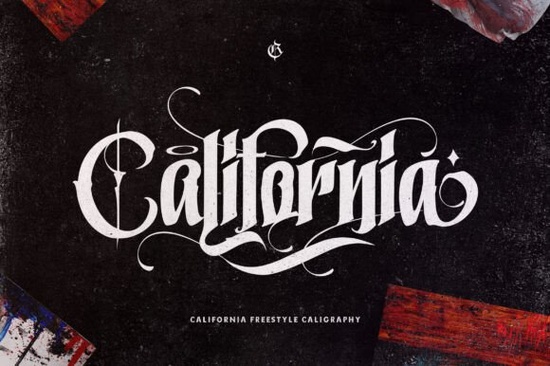
If you’re looking for a bold, confident blackletter font that stands out without feeling overdone, the California Style Font is worth your attention. It’s a thick, assertive lettered design rooted in classic blackletter tradition but with cleaner lines and better spacing than many vintage alternatives. That makes it especially useful for modern crafters, small business owners creating merch or signage, and print-on-demand sellers who need legibility at scale without sacrificing personality.
What kind of projects does California Style Font work best for?
This font shines where impact matters: tattoo flash sheets, t-shirt designs, bar signage, event posters, and even custom packaging. Because it’s thick and highly readable even at medium sizes it holds up well on fabric, wood, vinyl, and printed paper. Unlike some ornate blackletter fonts that blur together when scaled down, California keeps its structure clear. You’ll find it especially handy if you're designing for a tattoo studio or crafting vintage-inspired apparel. In fact, if you’ve used fonts like Tattoo Studio Font before, you’ll notice California offers a bolder, more grounded alternative less decorative, more direct.
How easy is it to use the swashes and alternate glyphs?
California is PUA encoded, which means all the extra characters like flourishes, stylistic alternates, and connecting swashes are accessible right from your character map or glyph panel (in apps like Adobe Illustrator, Affinity Designer, or even Cricut Design Space). No need to install separate OTF files or hunt through layers. Just type, then swap in a swash using the Glyphs panel. This saves time when you want to add subtle flair to a monogram or headline without switching fonts mid-design.
Does it pair well with other blackletter fonts?
Yes but thoughtfully. California’s weight and rhythm sit comfortably alongside strong companions like Captain Victory Font, which has sharper serifs and a slightly more aggressive slant. For contrast, try layering California as a headline over a lighter, more textured blackletter like Vintage Old English Font for body text. That combo works well for wedding invites, brewery labels, or boutique shop branding where you want hierarchy and cohesion.
Is it suitable for commercial use?
Yes. Like most Creative Fabrica fonts, California Style Font comes with a commercial license included so you can use it on products you sell, whether that’s mugs, stickers, SVG cut files, or digital templates. Just be sure to check the specific license terms on the product page, since usage rights can vary slightly depending on how you’re distributing the final file (e.g., bundling in a font pack vs. embedding in a web app).
How does it compare to other blackletter fonts on Creative Fabrica?
Compared to many blackletter options, California strikes a balance between tradition and usability. It avoids excessive ornamentation so it won’t compete with detailed illustrations or busy backgrounds. Its consistent stroke width helps with laser cutting and embroidery digitizing, too. If you’ve tried tattoo studio fonts and found them too thin or fragile-looking, or tested Captain Victory but wanted something less angular, California fills that middle ground. And if you’re drawn to the historical feel of vintage Old English fonts but need better screen readability, this one delivers clarity without losing character.
A quick checklist before you download
- ✅ Confirm your design software supports PUA-encoded fonts (most do just double-check if you’re using older versions)
- ✅ Test the font at actual output size especially if printing on dark garments or engraving on wood
- ✅ Try pairing it with a simple sans-serif (like Montserrat or Inter) for contrast in layouts
- ✅ Save a version of your project with fallback glyphs in case sharing files with others who don’t own the font
- ✅ Bookmark the California Style Font page for quick access to updates or alternate weights if they’re added later
Bottom line: California Style Font isn’t trying to be everything. It’s a focused tool bold where it needs to be, flexible where it counts, and straightforward to use. If your current blackletter options feel either too stiff or too fussy, give this one a real-world test on your next physical or digital project.
Try It Free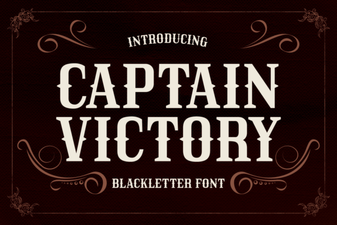 Captain Victory Font for Your Boldest Design Projects
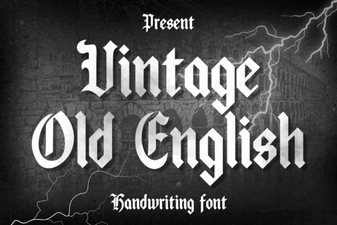 Classic Fonts for Modern Design Projects
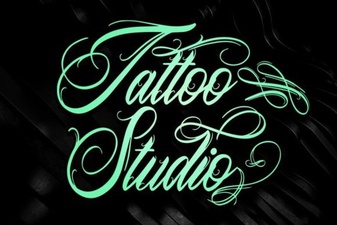 Top Tattoo Studio Fonts for Artists & Clients
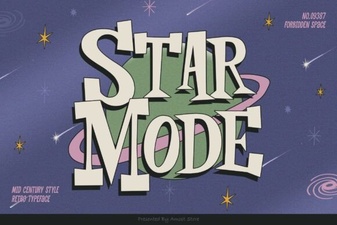 Unlock Creative Fonts with Star Mode Designs
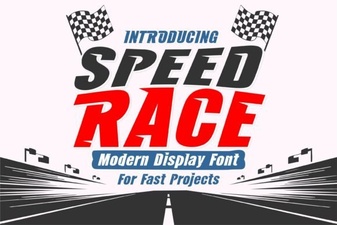 Speed Race Fonts for Your Next Creative Project
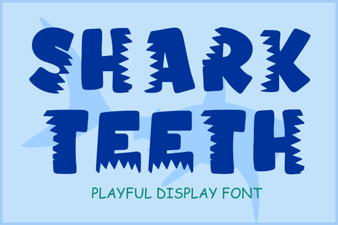 Design Your Project with Shark Teeth Font