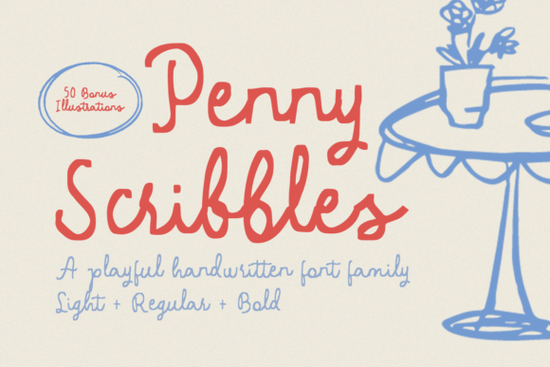
If you're looking for a handwritten font that feels genuine not overly polished, but still easy to read and versatile Penny Scribbles Font is a thoughtful choice. It’s designed to mimic the joyful imperfection of a child’s handwriting: slightly uneven baselines, playful loops, and relaxed spacing but with consistent weight and clean digital rendering. That balance makes it work well across real-world projects, especially when you want warmth without sacrificing clarity.
When does Penny Scribbles shine?
This font fits naturally in contexts where authenticity and charm matter more than formality. Think handmade food labels, printable recipe cards, kids’ activity sheets, boutique café menus, or greeting cards for birthdays and baby showers. Because it’s not overly stylized, it scales well from small text on a jar sticker to large headers on a wall poster. It also pairs nicely with clean sans-serifs for contrast, or other hand-drawn elements if you’re building a cohesive brand look.
You’ll get the full font family (regular, bold, and alternate characters), plus 50 unique illustrations all included in both SVG and PNG formats. These aren’t generic clipart; they’re drawn in the same loose, friendly style as the font: doodles like cupcakes, stars, scribbled hearts, tiny animals, and simple kitchen tools. You can layer them behind text, use them as bullet points, or drop them into social media posts or printables. Since they’re vector (SVG) and raster (PNG) ready, you won’t hit quality issues whether you’re cutting with a Cricut or printing at home.
How does it compare to other script fonts on Creative Fabrica?
Unlike some script fonts that lean heavily into elegance or romance like Wedding Dream, which works beautifully for formal invites Penny Scribbles sits comfortably in the “playful everyday” category. It shares a similar energy with Sweety Cupcake, but with less sweetness and more grounded, sketch-like texture. If you’ve tried Sketchy Gossip, you’ll notice Penny Scribbles has gentler curves and fewer sharp angles making it friendlier for younger audiences or softer branding. And while Star Wars Font Script leans into fandom and bold personality, Penny Scribbles stays neutral and adaptable.
It’s also worth noting that many users choose this font specifically because it avoids the “too cute” trap some handwritten fonts feel dated or overly themed. Penny Scribbles keeps things light and modern, without leaning into trends that might feel outdated in a year or two.
What file types and uses are supported?
All files are delivered as downloadable ZIPs, organized clearly. You’ll find OTF and TTF font files (compatible with Canva, Silhouette Studio, Cricut Design Space, Adobe apps, and most desktop software). The 50 illustrations come in SVG (ideal for cutting machines and scalable web use) and high-res PNG (300 DPI, transparent background, perfect for print or layered designs).
Licensing is straightforward: personal and commercial use is included no extra fees for selling physical products like mugs, tote bags, or printed planners. Just avoid reselling the font files or illustrations as standalone digital assets.
Who’s using Penny Scribbles right now?
A growing number of small-batch makers are choosing it for printable recipe bundles they pair the font with matching SVG icons to build themed collections (e.g., “Bake & Share” or “Lunchbox Love”). Print-on-demand sellers use it for nursery wall art and baby milestone cards, often combining the font with soft pastel palettes. Teachers and homeschoolers appreciate how readable it is for early readers, yet still fun enough to keep kids engaged on worksheets or learning posters.
One practical tip: try typing a short phrase, then manually adjusting letter spacing (tracking) by +20–40 units in your design app. That little nudge helps the “messy” rhythm feel intentional not accidental.
Need inspiration? Try these quick combos
- For food labels: Use Penny Scribbles for the item name (“Honey Oat Cookies”), then pair with a clean sans-serif (like Montserrat or Poppins) for ingredients and weight.
- For kids’ printables: Layer the “smiley face” or “crayon” illustration next to section headers or use the PNGs as subtle watermarks behind activity instructions.
- For social posts: Drop an SVG icon beside your caption in Instagram Stories, then type your message in Penny Scribbles using the native text tool (works in Canva and Stories apps).
If you'd like to see how other designers are using similar styles, you can explore the Penny Scribbles Font page directly on Creative Fabrica for live previews and user-uploaded examples.
Before downloading: Check your software compatibility (especially if you’re using older versions of Silhouette Studio or Cricut Design Space some require fonts to be installed system-wide first). Also, test one illustration SVG in your cutting machine software before batching all 50 you’ll save time troubleshooting alignment or sizing later.
Explore Design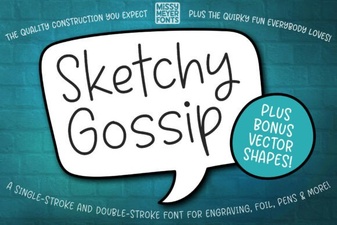 Design Projects Using Sketchy Gossip Font
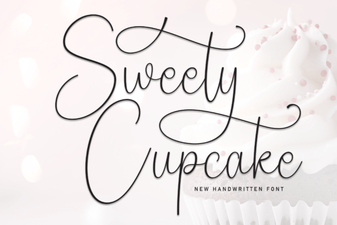 Sweety Cupcake: a Sweet Font for Creative Baking Designs
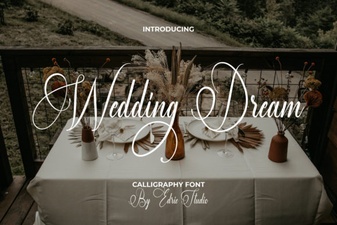 Design Your Dream Wedding with Perfect Fonts
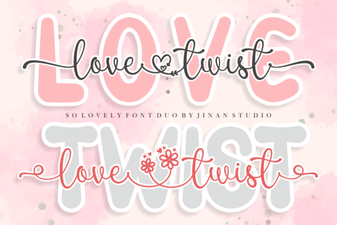 Love Twist Duo Font for Modern Design Projects
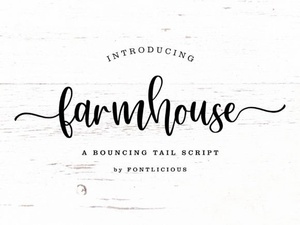 Crafting a Perfect Farmhouse Font Design
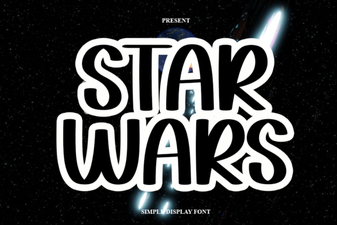 Star Wars Font Download Guide & Creative Ideas