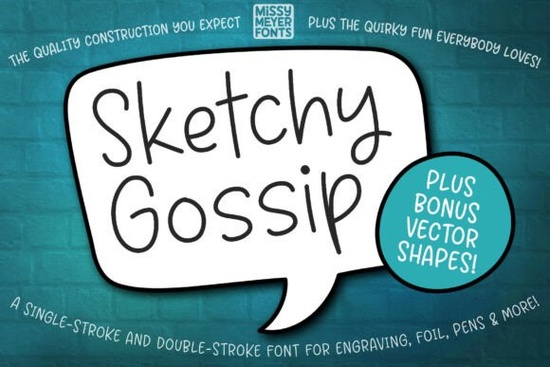
If you’re looking for a handwriting-style font that draws cleanly with sketch pens, engraving tools, or infusible ink pens not just prints on paper Sketchy Gossip Font is built for exactly that. It’s not a standard desktop font meant for Word or Canva text boxes. Instead, it’s a single-line (and double-line) drawing font designed to move smoothly across surfaces like wood, leather, metal, or ceramic ideal for personalized gifts, custom jewelry, engraved cutting boards, and hand-drawn signage.
How is Sketchy Gossip different from regular script fonts?
Most script fonts are filled outlines: they work well in print or digital layouts but don’t translate cleanly to drawing machines. Sketchy Gossip Font uses open, rounded strokes that trace in one continuous motion no overlapping paths or inner fills. That makes it compatible with devices like Glowforge (in scoring mode), Cricut (with proper setup), Silhouette Cameo, and Brother ScanNCut especially when using foil quills, sketch pens, or engraving bits.
The set includes both single-stroke and double-stroke versions. The single-line version is great for delicate line art or fine engraving. The double-line version adds subtle weight while still staying true to the hand-drawn feel useful when you want more visibility without switching to a bold fill font.
What’s included and what can you actually use it for?
Beyond the two font files, you get an SVG bonus pack pulled from the original Juicy Gossip collection: hand-drawn banners, ovals, speech bubbles, and decorative shapes. These vector elements layer nicely with your text and help build cohesive, playful designs think “Happy Birthday” cards with matching banner frames, or “Best Friend” necklaces with tiny heart accents.
Real-world uses include:
- Engraved wooden spoons or cheese boards with custom names or quotes
- Personalized acrylic keychains or resin charms
- Greeting cards where the message looks hand-lettered (but cuts or draws consistently)
- Foil-pressed stationery using a Cricut Foil Quill
- Infusible Ink mugs or tumblers with light, breezy wording
Will it work with my machine or do I need workarounds?
Yes but some tools require small adjustments. For example:
- Cricut Design Space: You might see an error on the “Make It” screen. A PDF guide is included with step-by-step instructions most users fix this by converting text to outlines or using the SVG version instead of the font file.
- Brother Canvas Workspace: Typeable fonts often won’t preview correctly. Use the included SVG files they contain the full character set and scale cleanly.
- Glowforge: Works well in scoring mode. Just import the SVG or DXF and adjust speed/power for your material.
If you already love relaxed, friendly scripts, you might also enjoy Love Twist Duo, which offers a clean contrast pair for headings and subtext. For seasonal projects, Jolly Christmas brings warmth and tradition, while Sunshine Olivia gives a breezy, sunlit vibe perfect for summer labels or beach-themed decor. If rustic charm fits your brand, Farmhouse Font pairs well with natural materials and for quick, energetic doodle-style phrases, Penny Scribbles is a nice alternative.
Who’s this font really for?
It’s especially helpful if you:
- Sell handmade goods and want consistent, hand-lettered-looking text without redrawing each time
- Use a Cricut or Silhouette regularly and want fonts that cut and draw reliably
- Create print-on-demand products (like engraved coasters or custom apparel tags) and need scalable, single-line assets
- Prefer working in vector editors (Illustrator, Inkscape, Affinity Designer) and want editable, lightweight paths
- Like the look of Juicy Gossip but need something optimized for drawing not just display
One thing to keep in mind: because it’s designed for drawing tools, Sketchy Gossip Font isn’t ideal for body text in brochures or web pages. Stick to its strengths personalization, engraving, foil work, and light decorative use.
Before you start designing:
- Download both the single- and double-stroke versions you’ll likely prefer one over the other depending on your tool and material
- Try the SVG bonus pack first if you’re new to drawing fonts it’s easier to test layout and spacing
- Run a quick test cut/draw on scrap material before committing to your final piece
- Check the included PDF guide if Cricut throws an error it walks you through the most common fixes in under two minutes
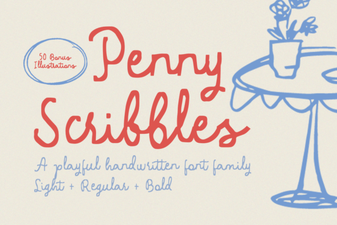 Penny Scribbles Font for Creative Projects & Designs
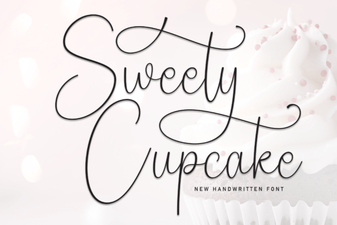 Sweety Cupcake: a Sweet Font for Creative Baking Designs
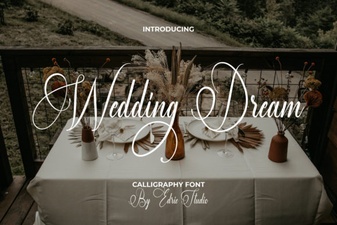 Design Your Dream Wedding with Perfect Fonts
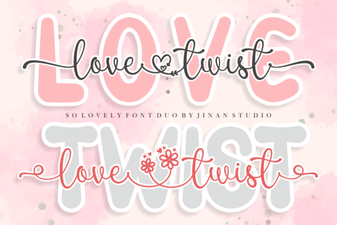 Love Twist Duo Font for Modern Design Projects
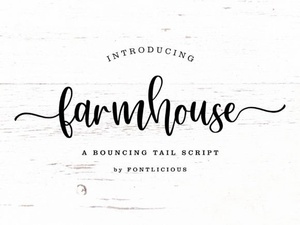 Crafting a Perfect Farmhouse Font Design
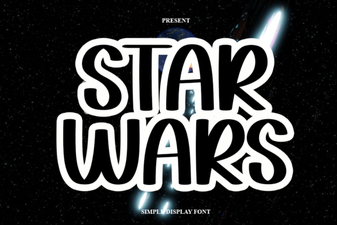 Star Wars Font Download Guide & Creative Ideas